Questions before you buy? Support is online 24/7 to help you out.
Arcane: Arc Raiders
[Requirements]
Supported Platforms: Steam, XBOX & Epic Games
Supported Game Mode: Windowed / Borderless
Supported Processors: Intel and AMD
Supported OS: Windows 10–11 x64
Supported builds: Everything from 1903 to latest
Video or Screenshot Invisibility Support: Yes
HWID Spoofer: Included
[Aimbot]
Enable – Activate
Always – Always active
Visibility check – Validate line of sight
Draw FOV Border – Display FOV circle
Draw FOV Background – Display FOV background
First keybind – Primary aim key
Second keybind – Secondary aim key
Targets – (Players, Bots, Teams)
Find bone type – (Selected bone, Closest bone, Random bone)
Bone – (Head, Neck, Body, Pelvis...)
FOV Size – Adjust field-of-view radius
Smoothness – Adjust aiming smoothness
Max distance – Maximum targeting range
[Players ESP]
Bounding box – (Box, Corner)
Fill box – (Static, Gradient)
Skeleton – (Draw head circle, Fill head circle, Thickness)
Line to enemy – (Color, Position)
Health bar – (Static, Health-based, Gradient)
View line – Directional view indicator
Name – Display nickname
Distance – Show distance
Draw BOTs – Show AI units
Draw teammates – Show allies
Visibility check – Visibility validation
Bot transparency – Adjust AI opacity
Max distance – Maximum render distance
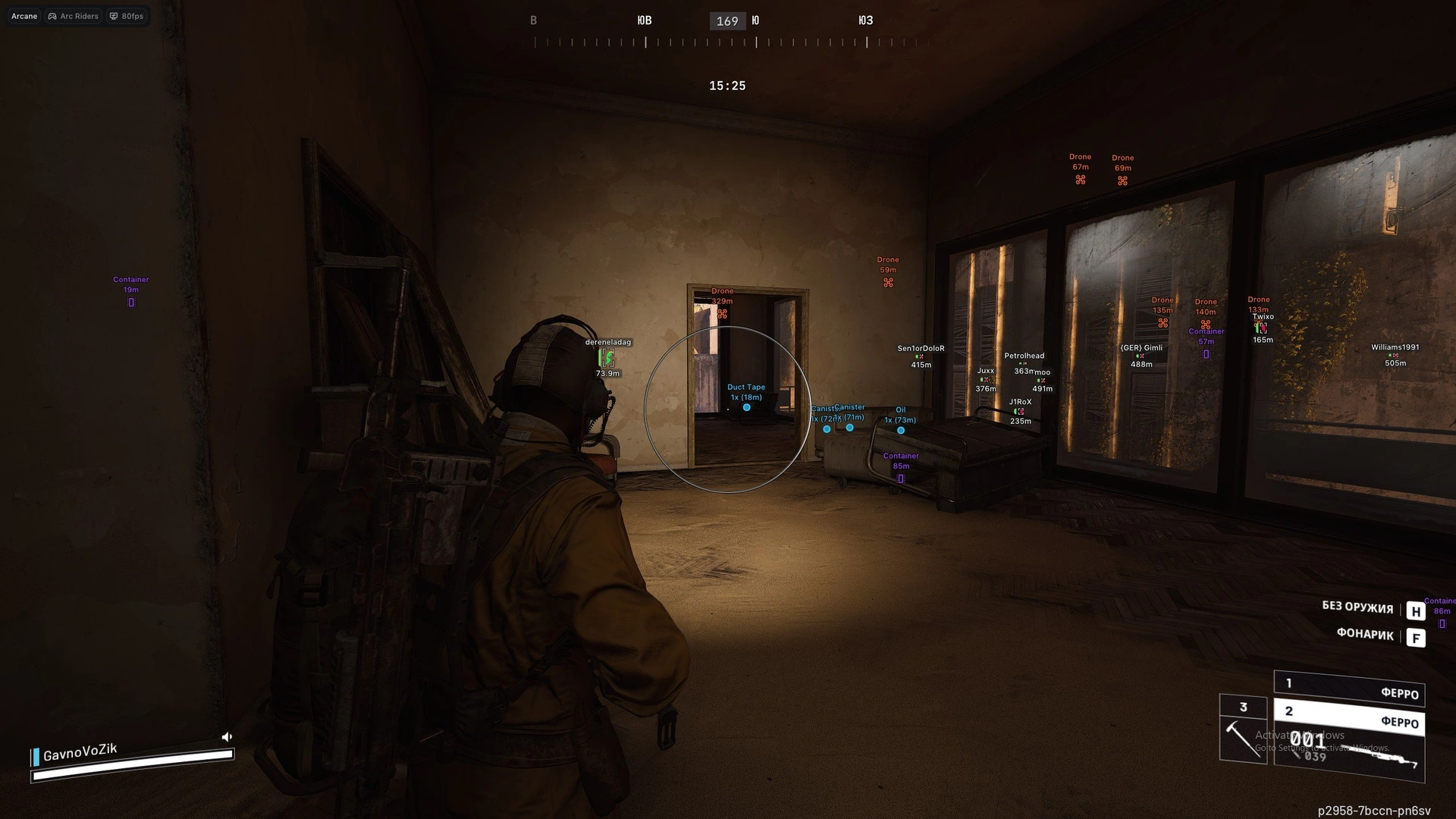
Items ESPItem tracking and display configuration.
Show count – Display item quantity
Show distance – Display item distance
Drone – Highlight drones
Container – Highlight containers
Dropped item – Highlight dropped loot
RadarRadar system for enhanced situational awareness.
Enable – Toggle radar
Show distance – Display distances on radar
Zoom – Adjust zoom level
Size X / Size Y – Radar dimensions
Distance transparency – Fade by distance
Color outline – Outline color settings
Color background – Background color settings
Entities
Show player – Display players
Show AI – Display AI units
Show team – Display teammates
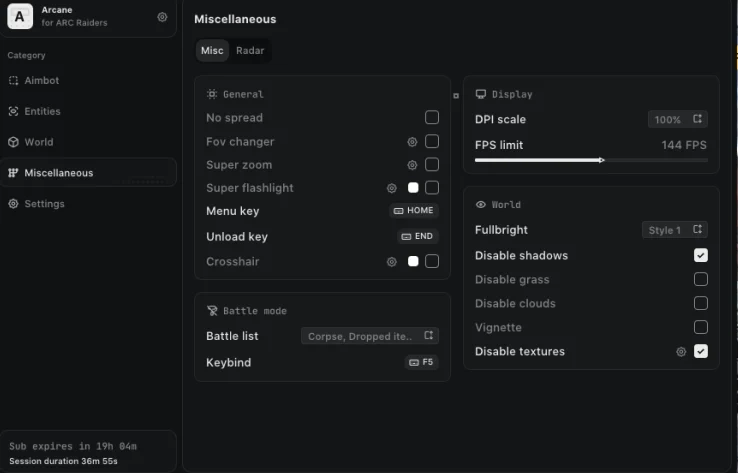
[Misc]
No Recoil – Remove weapon recoil
No Spread – Remove bullet spread
Fullbright (Three Styles)
Enable/Disable shadows
Enable/Disable grass
Enable/Disable clouds
Darken corners
Enable/Disable textures
SettingsInterface and system customization options.
Menu keybind – Open menu
Unload keybind – Unload tool
DPI Scale – Interface scaling
FPS Limit – Frame rate cap
Theme – (Murky, Sunny)
Watermark – Display watermark
Language – (EN, RU, CN)