Questions before you buy? Support is online 24/7 to help you out.
OmniControl Pro
Select plan
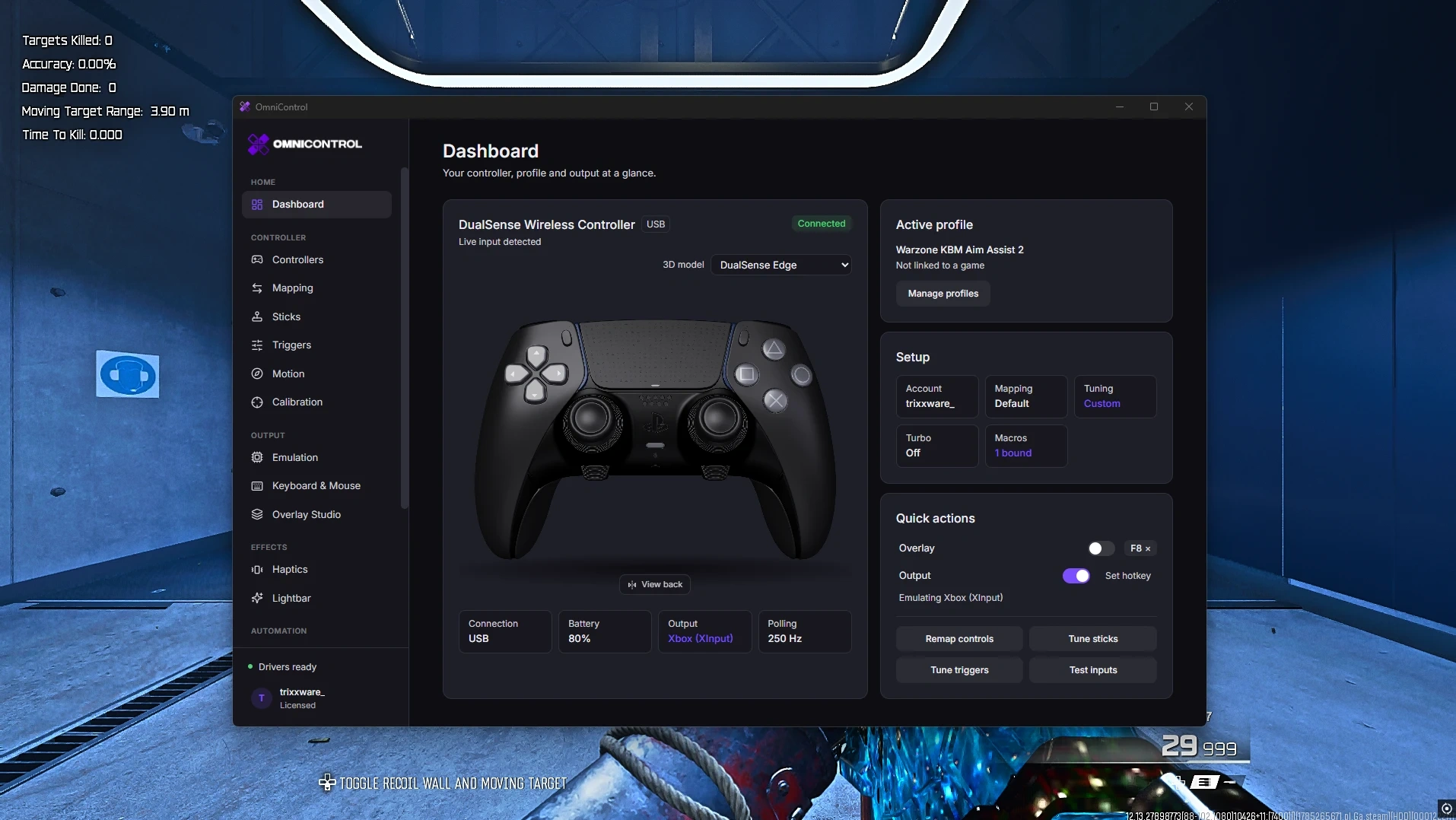
- Dashboard
- Live 3D controller: hover buttons for mappings, click for settings, rotate for back buttons. Arrows switch to Keyboard & Mouse, showing the virtual controller Drive plays as, moving live while active. Shows name, connection, battery, live input status, active profile with remaps/tuning/turbo/macros, quick switches for Output, Drive and Overlay with hotkey buttons, plus Remap controls, Tune sticks/triggers and Test inputs shortcuts. Includes a “controller hidden from games” banner with one-click undo and a driver-install card when the virtual controller driver is missing.
- Get Started
- 3D tour for new users.
- Controllers
- Device manager lists connected controllers/HIDs, readability and renaming. Test Bench: button test/tested count, stick reach/rest/drift, trigger peak, touchpad trace, live yaw/pitch/roll. 3D navigator opens tuning, remapper, touch gestures or haptics from clicked parts. Back-button check finds paddles Windows can see. Universal Controller Engine reads unknown controllers from their HID description. Set Up Controller teaches unknown buttons/paddles step by step, saves them and chooses the displayed model. Use as My Controller forces/stops a device. HID Inspector shows its reports. Supported: DualSense, DualSense Edge, DualShock 4, Xbox, Xbox Elite, Switch Pro, GameCube, Wii Remote, Nunchuk, Steam Controller, Razer Raiju V3, Meta Quest Touch.
- Calibration
- Stick drift/range tests, trigger/button tests, device health score and recent-test history.
- Meta Quest
- Use Quest Touch as a PC controller over Link/Air Link with guided setup. Motion aiming moves the mouse/aim stick or follows current output, with sensitivity, smoothing, dead zone, acceleration, curve, max output, recenter, pointing direction, Always/Hold/Toggle modes and a hand-motion-off key. Mouse Feel: speed, smoothing, turn speed, stick dead zone, invert. Triggers/grips can be buttons or analog; includes control checks/diagnostics.
- Emulation (Pro)
- Outputs: Xbox 360, DualShock 4, Wii Remote, Wii Remote+Nunchuk, GameCube adapter, Keyboard keys for controller-less games, and Keyboard & Mouse for mouse-only games. Inputs: controller, Drive, Remote Play. Includes rumble passthrough, player slots/reconnect/“Taking Player 1”, physical-controller hiding, live output diagnostics, DSU Motion Server for gyro/sticks/touch in Dolphin/Cemu, Dolphin GameCube/Wii guides, and live Xbox↔DS4 switching with a short detection gap.
- Drive a Controller (Pro)
- Keyboard/mouse act as a controller: keys drive left stick, mouse drives right. Aim: horizontal/vertical sensitivity; ADS/scope sensitivity with Hold/Toggle; game dead zone, response curve, vertical invert, feel/response, fast turn and hold-at-edge. Movement: walk-speed key, full-speed diagonals, ramp up/down, trigger ramps, newest-press priority for opposite keys. Every pad control binds to key/mouse/scroll as Hold/Toggle/Turbo with adjustable rate; “Put the shipped key back” restores defaults. Measure Your Setup: turn-rate measurement, dead-zone wizard, mouse DPI and cm/s mouse-likeness readout. Play Mode: invisible focus window on a chosen display. Health Panel: capture status, keyboard/mouse records seen, Drive gate, absolute-mouse/disconnect warnings, Copy Diagnostic/Pad Trace, live graphs/trace.
- Mouse Mute
- Kernel mouse-filter driver hides the real mouse from games while it drives the controller, as Full Block or Pointer Only. Movement-compatibility test, panic key, safety/recovery steps and input-delay measurement in nanoseconds.
- Block Keys & Clicks
- Stops selected keyboard keys/mouse buttons reaching Windows or games. Includes toggle hotkey, keyboard picker, Add Any Key, emergency release with Ctrl+Alt+Home or both Shift keys held 2 seconds, and optional link with Drive a Controller.
- Radial Menus (Pro)
- Hold a key/mouse button to show a ring, point and release. Each slice can be Key, Layer, App, Macro or Profile. App actions can toggle Drive a Controller, Block Keys & Clicks, Crosshair, Overlay or Output. Up to 4 menus, 8 slices each, with labels, colours and live preview; clean in-game ring with OmniControl logo.
- Remote Play
- Built-in PS5/PS4 streaming: LAN discovery or add by address, wake from rest. Multiple accounts with nicknames, PIN pairing, account-ID guide and paired-console removal. Windowed/borderless/fullscreen, display choice, hold-to-release-cursor key. Picture: Standard/Sharp/Super Resolution; live brightness, contrast, saturation, sharpness without reconnect. Audio: output device, shared/exclusive mode, microphone. Quick controls: Drive, profile, keyboard/mouse. Session tools: quality, lower-resolution reconnect, passcode entry, diagnostics.
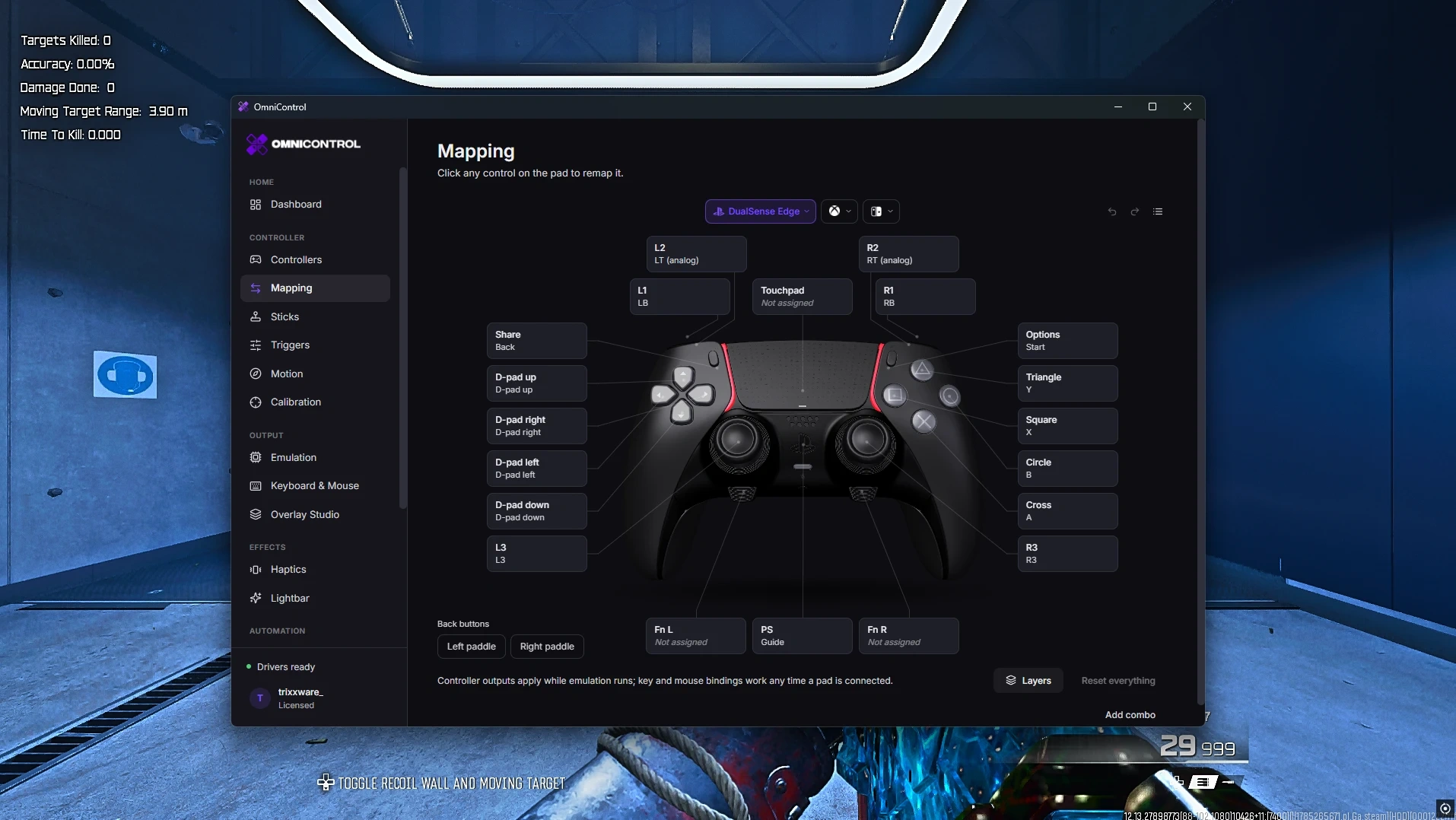
- Mapping
- Remap every controller button to another button, key, mouse button, macro or profile; per-button turbo, combos, Shift layer with Base/Shift views, paddle/back-button mapping, Undo/Redo, 3D/List views and Reset Everything. Keyboard & Mouse: Free can click any key/mouse control to remap/disable; Pro adds Hold/Double-Tap, Turbo, Toggle, timing, held/toggled layers and analog depth zones for Wooting, Razer analog, NuPhy, DrunkDeer and Keychron HE with live depth.
- Layers (Pro)
- Named layers containing button remaps, key/mouse bindings and macros, activated by Hold or Toggle and edited in Layer Studio.
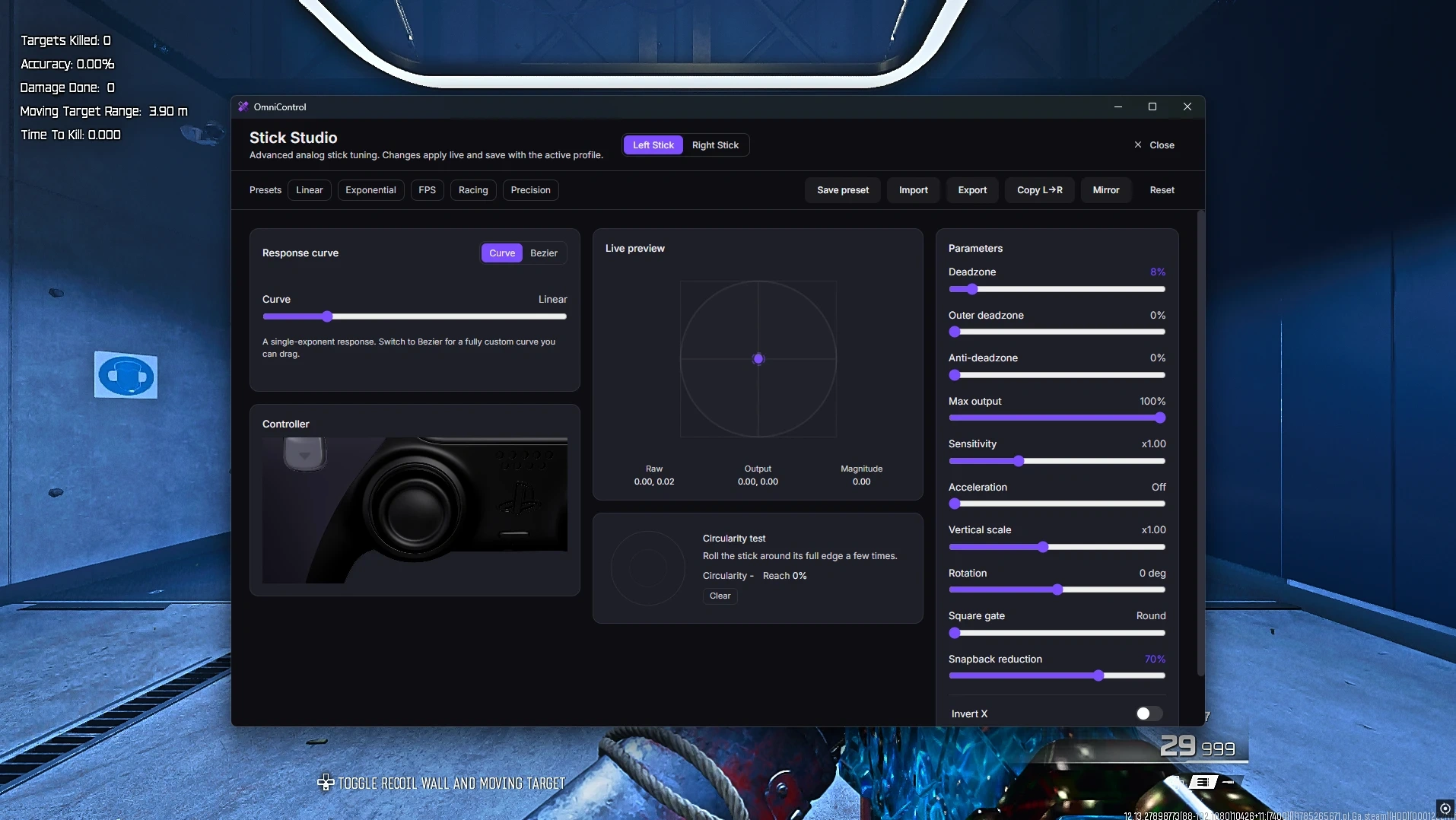
- Sticks (Pro)
- Stick Studio: dead zones, output/max output, Bezier curves, sprint threshold, saved/shared presets. Anti-deadzone has separate H/V values and can disable while aiming on a chosen button. Presets: Linear, Exponential, FPS Aim, Flick Shots, Racing, Precision, Worn Pad. Circularity test. Sticks/triggers can act as keyboard/mouse with aim speed/smoothing/invert, direction keys and actuation points.
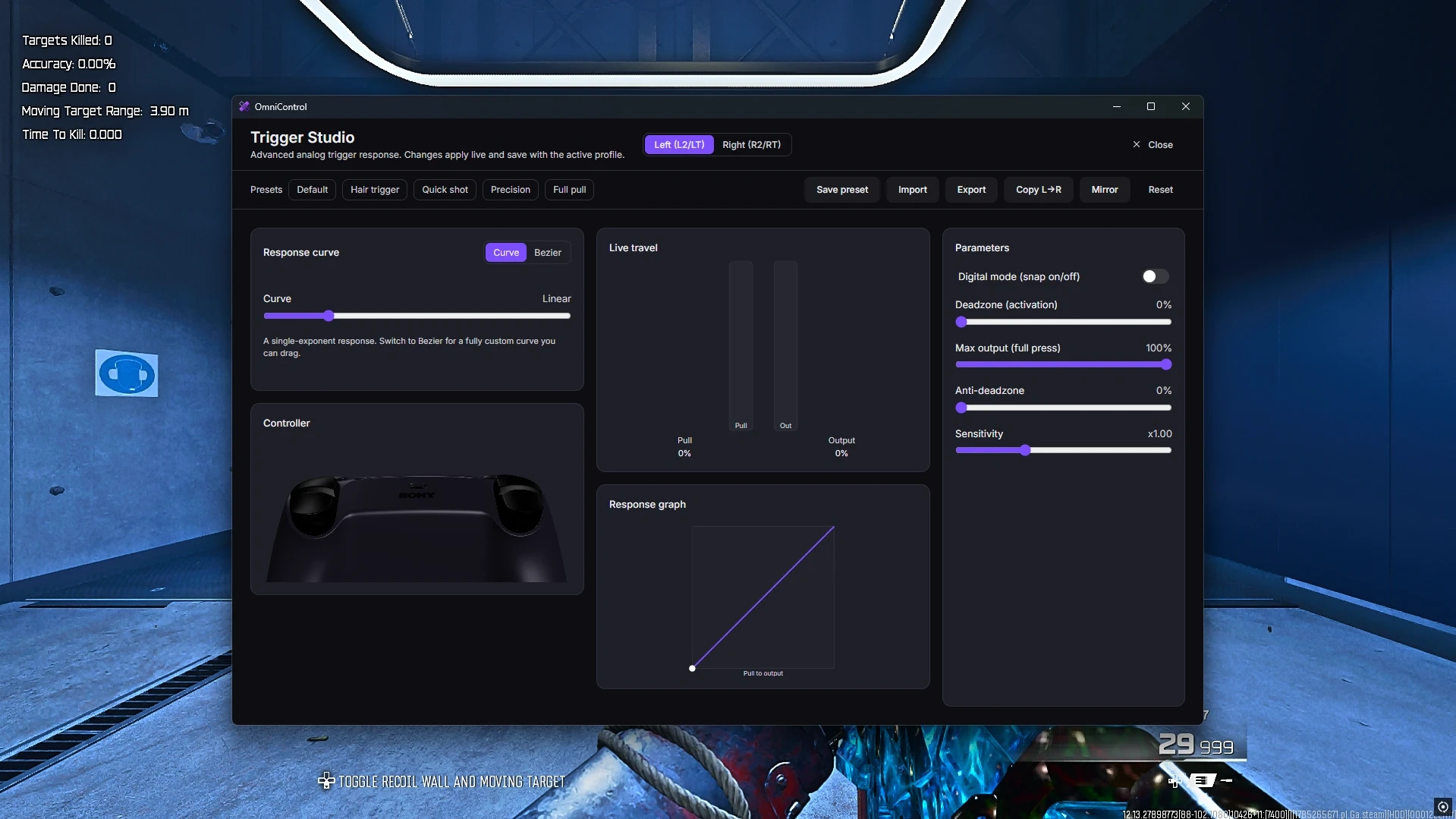
- Triggers (Pro)
- Trigger Studio: curve, Bezier, digital snap, max output, swap triggers. Presets: Default, Hair Trigger, Quick Shot, Precision, Full Pull. Adaptive Trigger Studio for DualSense: Off, Uniform, Hard Stop, Ramp, Bow, Weapon, Click, Pulse, with on-controller test.
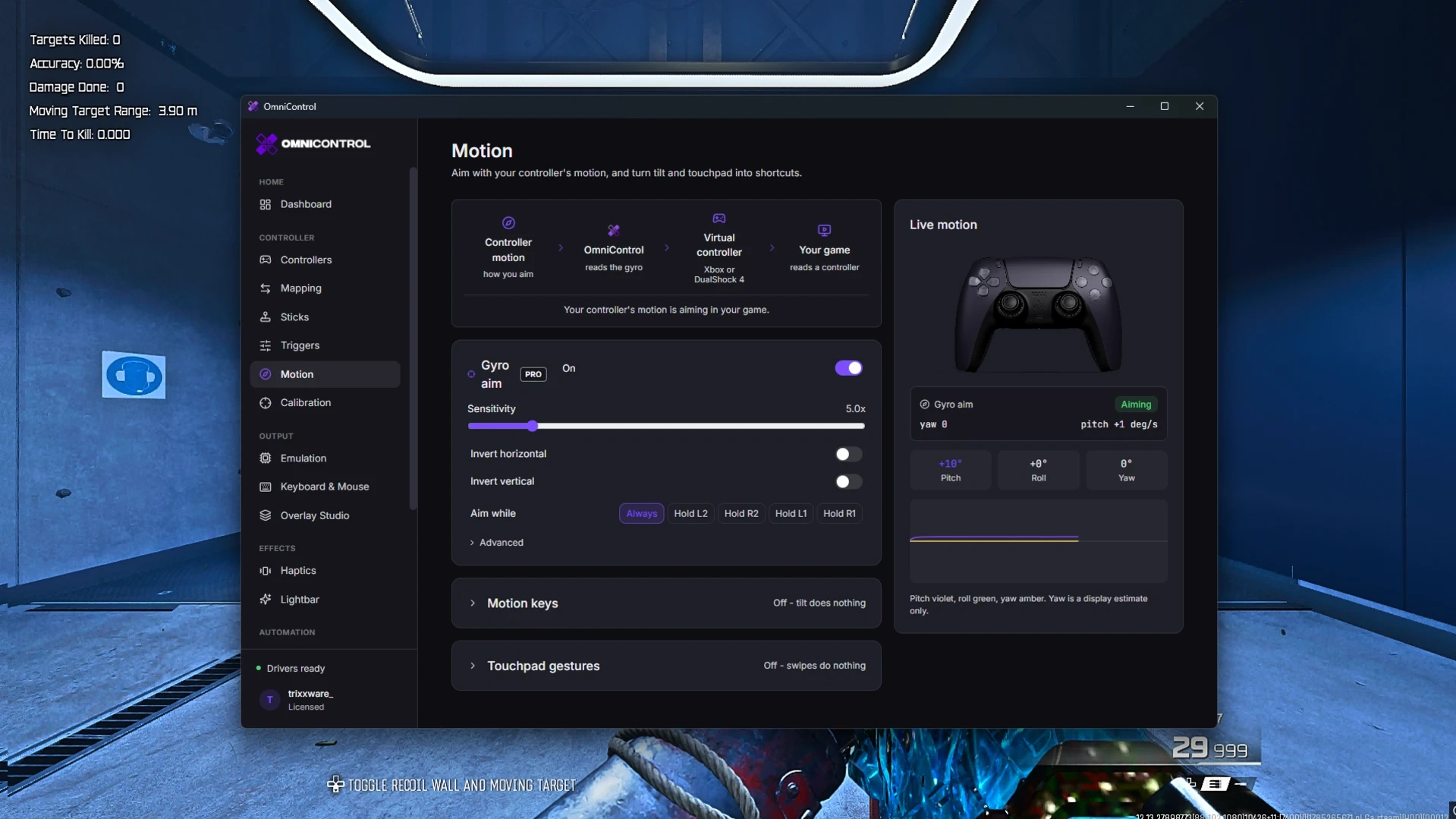
- Motion
- Gyro Aim (Pro): sensitivity, Hold/Toggle activation, invert, small-movement ignore, game dead zone. Motion Keys: tilting forward/back/left/right presses a key, with angle and smoothing. Touchpad Gestures: swipe left/right/up/down or tap to press a key. Live motion view across controller, virtual controller and game.
- Haptics
- Rumble presets: Off, Shooter, Racing, Heavy, Pulse. DualSense vibration and adaptive triggers.
- Lightbar
- Presets: Breathing, Sleep, Hue Drift, Rainbow, Two-Colour Fade, Sunset, Ocean, Neon Cycle, Pulse, Heartbeat, Comet, Police, Hazard, Alarm. Studio builds step animations using Static, Pulse, Breathing, Wave, Heartbeat, Flash, Strobe, Alternate, Fade, Rainbow, Hue Shift and Colour Cycle. Also audio-reactive lighting, event lighting for alerts, Season Drops, and animation import/export.
- Overlay Studio
- Show controller or keyboard/mouse on screen: over-game, click-through/always-on-top, or separate OBS window with chroma key. Paint each part; 68 colour themes (Arctic, Midnight, Neon, Vaporwave, Livery+), 96 animated skins (Galaxy, Liquid Chrome, Ferrofluid, Synthwave+), input effects/glow. Save/share themes, choose display/window size, show/hide shortcut. Pro removes watermark.
- Crosshair Studio
- On-screen crosshair with 44 designs including Micro Dot, Scope Ring and Mil-Dot Ranging. Build custom crosshairs from 21 shapes with outline/effects/placement, or use your own image. Save/share by code; games can auto-switch crosshair.
- Themes
- App themes.
- Profiles
- Separate setups containing mapping, turbo, stick/trigger tuning and emulation target. Includes favourites, notes, last used, sessions/time in use, global hotkey per profile and reset.
- Game Packs (Pro)
- Curated 100+ game catalog with cover art/categories. Packs can carry buttons, sticks/triggers, output, motion, touchpad, haptics/lightbar, keyboard remaps, keyboard/mouse, layers and macros. Import packs; share by code/file/clipboard; publish to community catalog with rich descriptions, headings, steps/screenshots. DS4Windows import.
- Game Center (Pro)
- Detect installed games or add manually. Per-game automation can switch profile, output, Drive and crosshair on launch, restore when closed, and auto-set up new games. Includes launch, favourites and automation testing.
- Macros (Pro)
- Build/record keyboard, mouse, controller, stick and trigger sequences on a timeline. Triggers can be controller button, combo, key/mouse button, trigger-pull percentage or hotkey. Playback: Once, Count, Loop or Hold, with speed and stick strength. Templates: Turbo Tap, Rapid Fire, Double Tap, Anti-AFK. Pause one/all, import/export, and paste steps as text.
- Recorder (Pro)
- Record physical-controller input or virtual-controller output and keep a recording library. Ghost Practice replays beside live input and gives a match score. Ghost to Controller replays through the virtual controller; L3+R3 cancels.
- Hotkeys
- Global hotkeys in one place, up to 4 keys/mouse buttons per action. Actions: controller output, Drive a Controller, Block Keys & Clicks, Play Mode, Overlay, Crosshair, Meta Quest motion aiming, record macro, pause all macros, stop running macros, every profile and every macro.
- Settings
- Languages: English, German, Spanish, French, Italian, Brazilian Portuguese, Turkish. Startup/window: launch with Windows, start minimised, minimise to tray, keep running when closed, open overlay on startup. Notifications: controller connected/disconnected, low battery, game detected, profile activated, inputs blocked, Play Mode, macros. Advanced: default emulation target, automatic performance mode. Data: backup/restore, reset settings, storage, drivers for virtual controller and controller hiding.