SteelSeries Sonar Overlay
A guide on how to setup the SteelSeries Sonar overlay often used in our products.
Download & Install the SteelSeries Sonar app.
SteelSeries Sonar Download: https://steelseries.com/gg/downloads/gg/latest/windows
Create an Account.
Once you install & open the app, create an account or login if you already have an account.
Setup SteelSeries Sonar Overlay Settings.
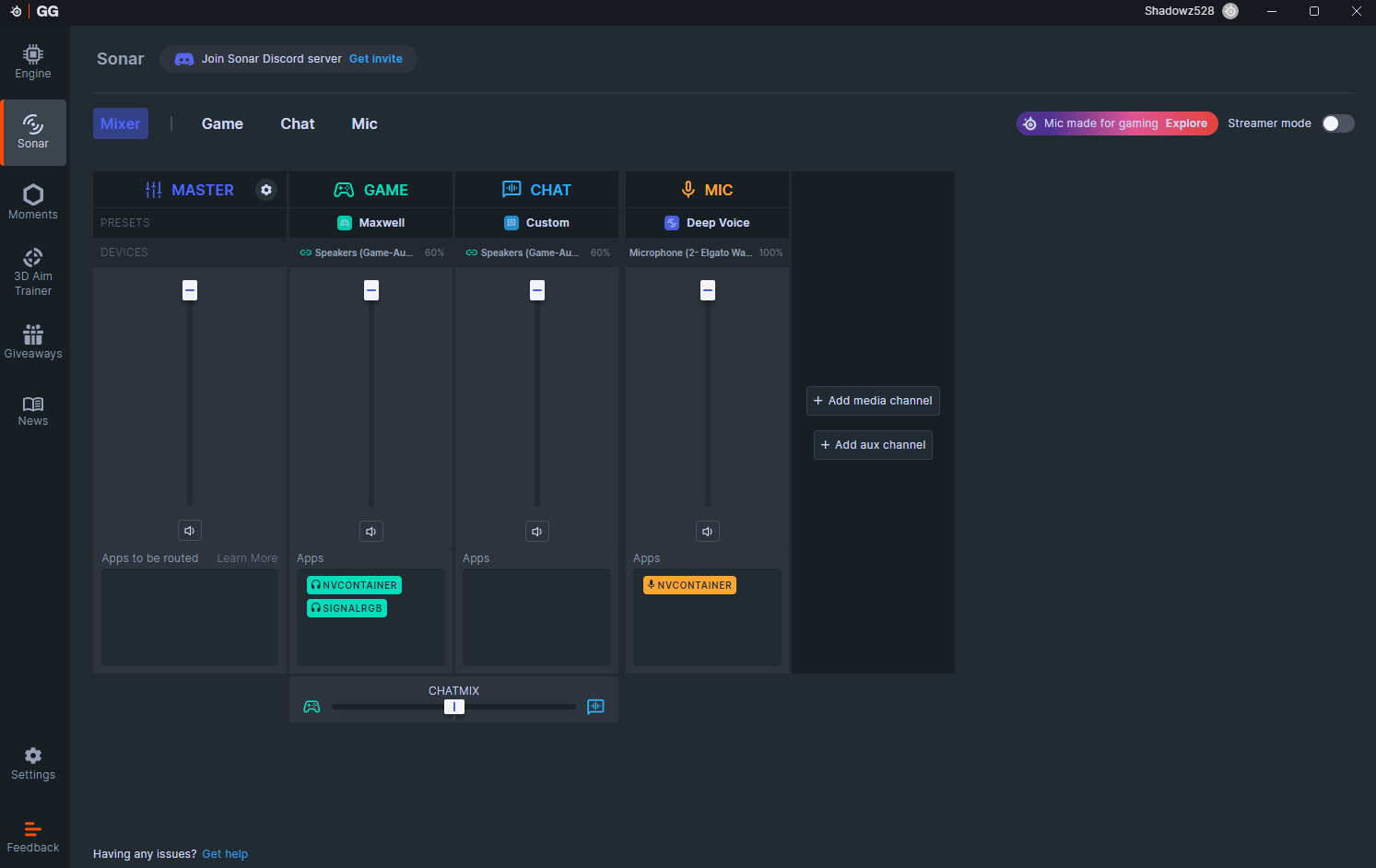
Click on the Sonar tab as seen below, for first time users you will need to setup your inputs/outputs. You can continue to the next step once you see the screen below & Sonar is enabled.
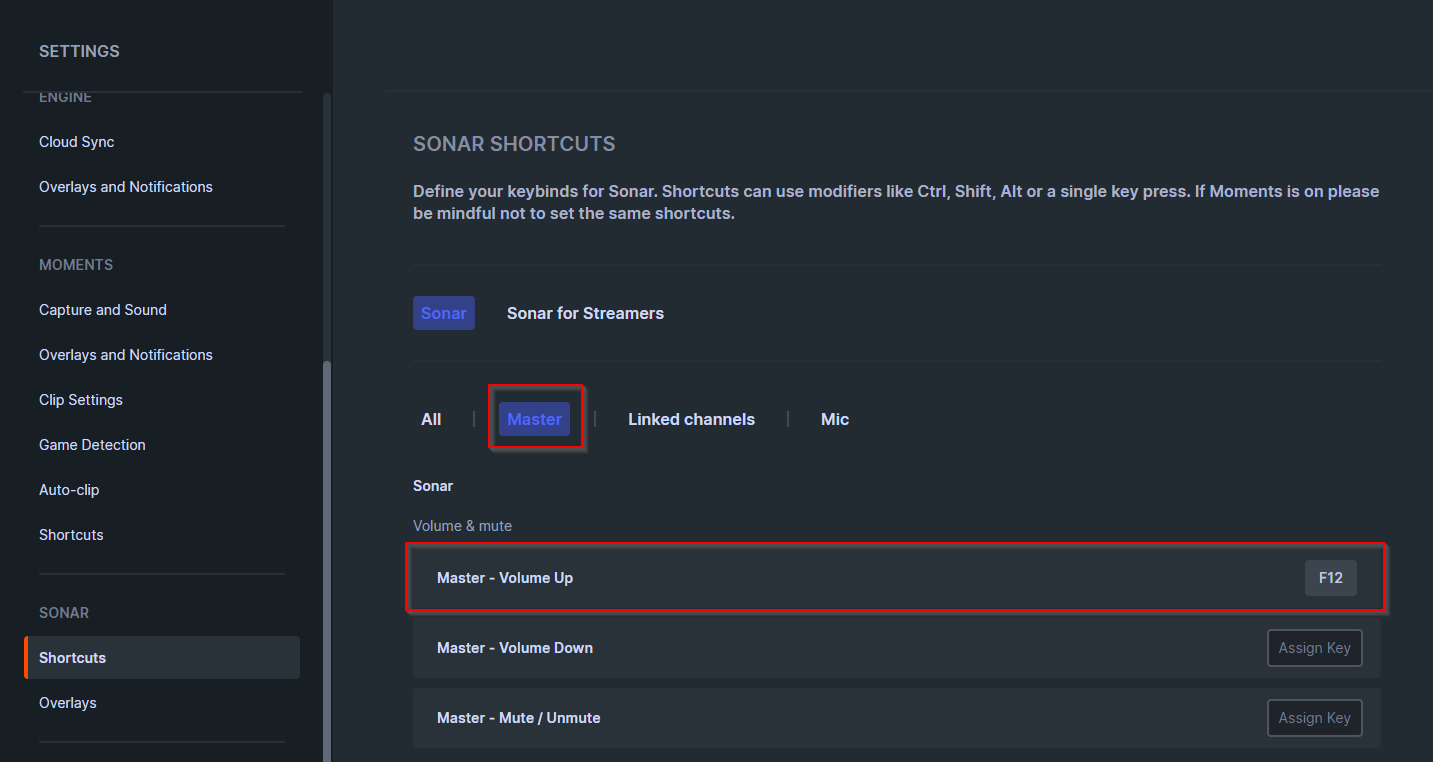
Now go to the Shortcuts tab under Sonar. Click Master, then set “Master - Volume Up” to a key such as F12 as seen below. This is what is referred to as your Sonar Shortcut Key in the guide, it is what initializes the overlay for the cheat to utilize, you need to press this key before clicking Load within the loader.
Initializing the SteelSeries Sonar Overlay.
Hit your shortcut bind for the master volume up function once in the loader, then click load in the loader.
Published at May 15, 2026