Discord Overlay
A guide on how to setup the Discord overlay often used in our products.
Finding Discord Overlay.
Open Discord settings & click on Game Overlay as seen below.
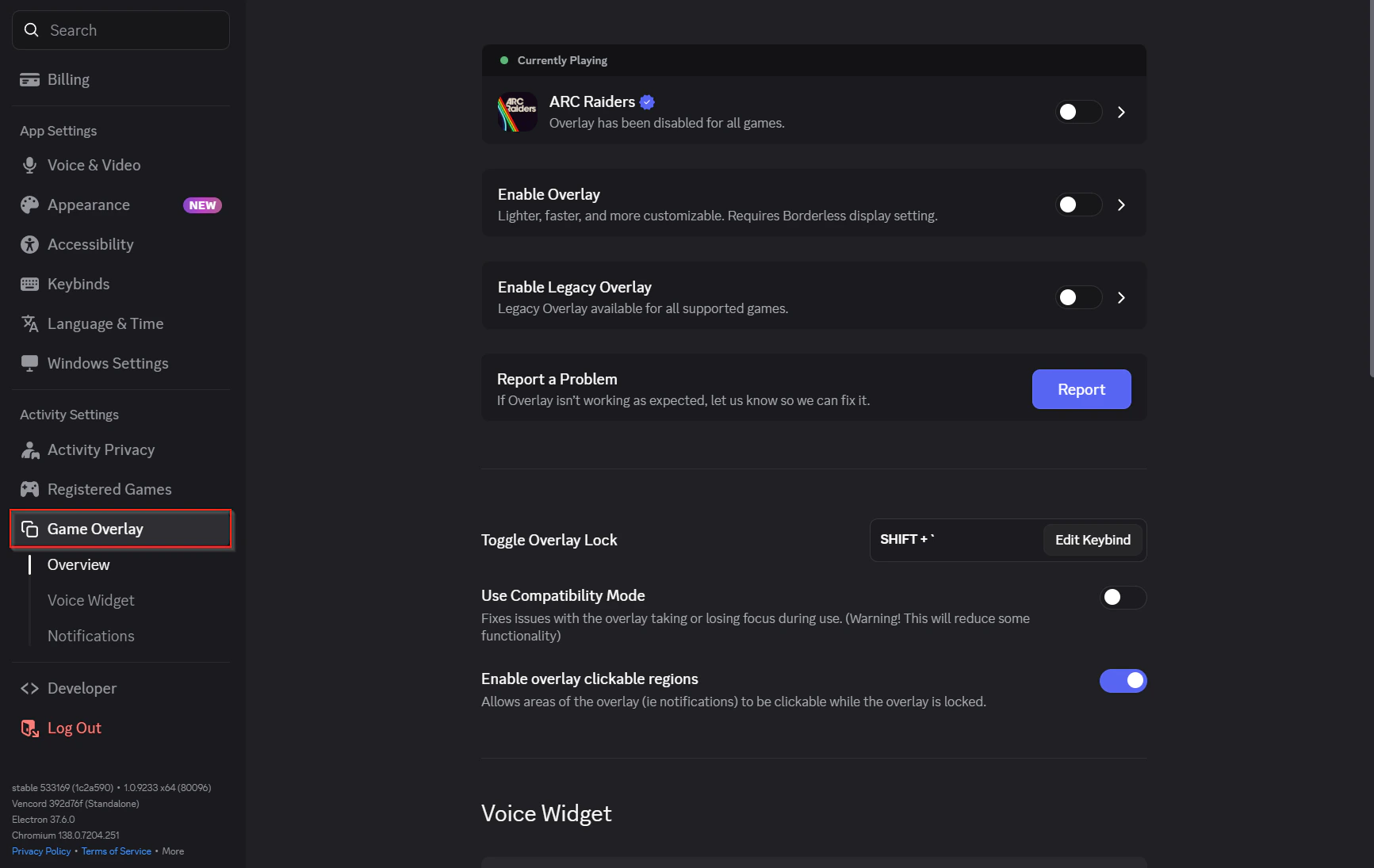
Enable Discord Overlay.
Toggle Enable Overlay & enable the overlay on ARC Raiders (if the game isn’t open it will appear under “Per-game Override”). Leave Enable Legacy Overlay disabled.
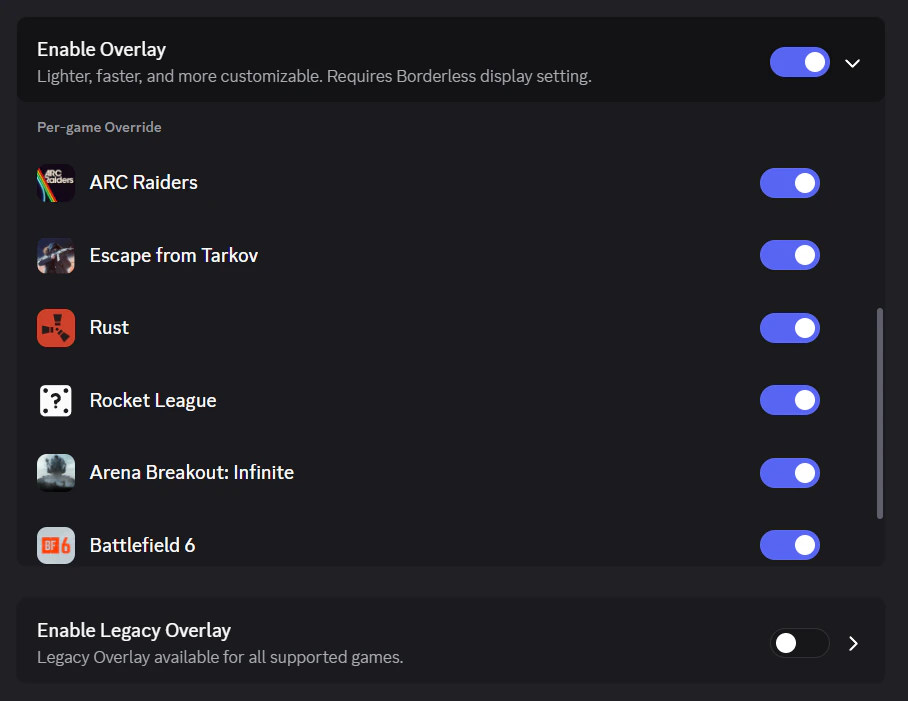
Initializing the Discord Overlay.
Keep Discord open and click load within the loader.
Published at May 15, 2026